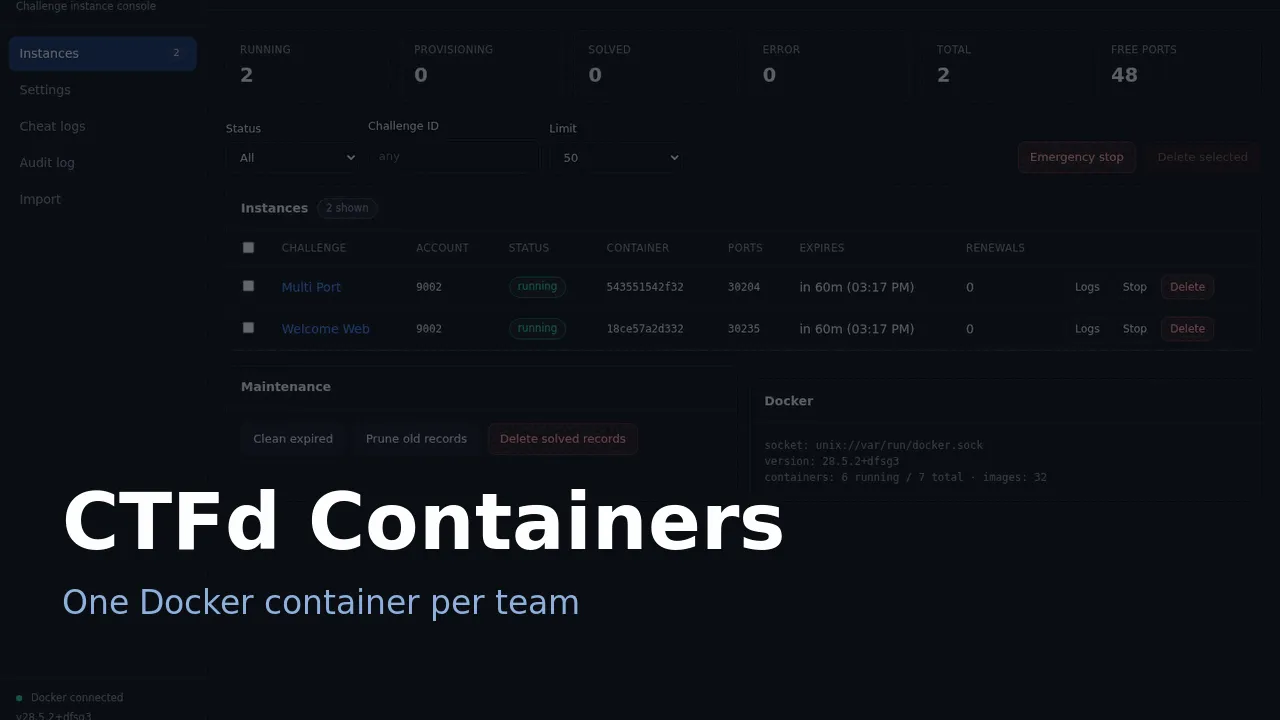

I help run the CTF at my university. We have one server and a few volunteers. Every team plays the same challenges, so each team needs its own copy of the vulnerable service, and no team should be able to read another team’s flag.
The existing options did not fit. The simple plugins do not track flags per team, and the larger frameworks ask for infrastructure we do not have.
Background
Most people start from andyjsmith’s CTFd-Docker-Plugin. It does the basic job, but the last commit is from 2022 and I wanted per-team flags and some visibility into what was happening on the host.
Going up a level, CTFd-Whale expects a Docker Swarm cluster and an frp relay. CTFd-owl is built around docker-compose. rCTF runs a separate instancer service, and kCTF assumes Kubernetes and nsjail.
All of those are reasonable when you have hundreds of teams and the infrastructure to match. We had one machine and around 40 teams, so I wrote a plugin that runs inside CTFd, talks to the Docker socket, and does not need anything else. It is a fork of andyjsmith’s plugin, though most of the code has been rewritten since.
How it works
A player opens a challenge and clicks a button.

The plugin builds a container from the challenge image, gives it a flag that no other team has, publishes the ports, and records the expiry. When the timer runs out, or when the player submits the correct flag, the container is removed and the port returns to the pool.
One CTFd process and one Docker socket is the whole system:
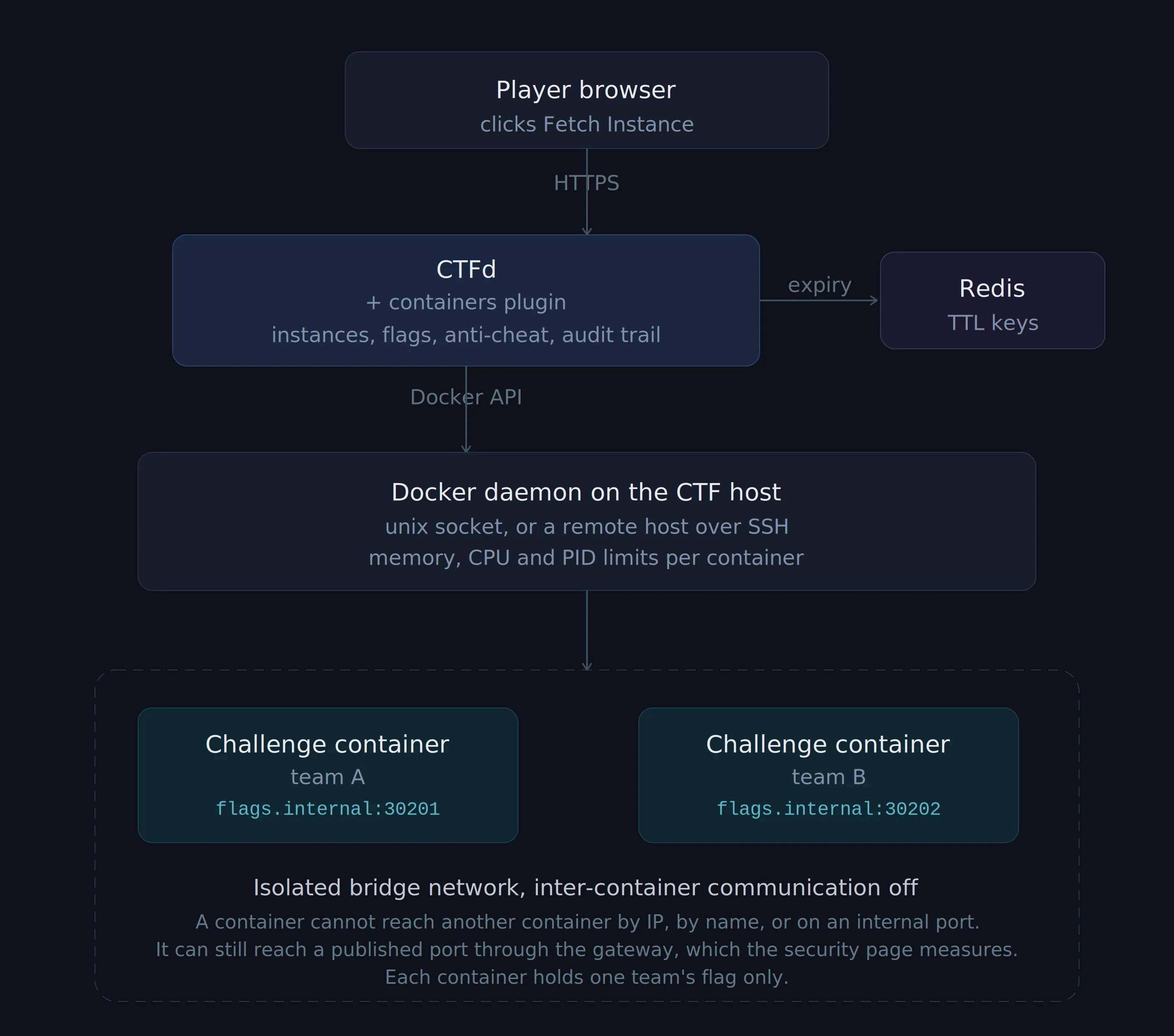
If you can mount /var/run/docker.sock into your CTFd container, you can run this.
Expiry uses two mechanisms. Redis keyspace notifications stop the container at the second its key expires. A job also runs every 30 seconds and stops anything past its expiry. The first gives accuracy, and the second covers a missed Redis event or no Redis at all.
Setup
Two volumes and a Redis flag.
services: ctfd: build: context: . dockerfile: docker/Dockerfile # installs the plugin's own requirements user: root volumes: - /var/run/docker.sock:/var/run/docker.sock - ./CTFd-Docker-Plugin:/opt/CTFd/CTFd/plugins/containers
cache: image: redis:4 command: redis-server --notify-keyspace-events Ex --appendonly yesBuild with docker compose up -d --build so the dependencies are installed. Then open the console, set the connection hostname to an address your players can reach, and create a challenge of type container.
Two things are easy to get wrong. The plugin imports docker, apscheduler, openpyxl and paramiko when it loads, and none of them are in the stock CTFd image, so a bind mount alone is not enough. Separately, the connection hostname should not be the CTFd hostname, because browsers send cookies to every port on a hostname. A challenge with a remote code execution bug could then read a player’s CTFd session cookie. A separate subdomain or a separate IP avoids that.
The full install guide is at ctfd-docker-plugin.phannhat.com, so I will not repeat it here.
Per-team flags and flag sharing
Each team gets a flag that only exists for them. When a flag is submitted, the plugin looks it up within that challenge and then checks who owns it. There are three outcomes:
| Outcome | Condition | What the player sees |
|---|---|---|
| Correct | The flag belongs to this team | Solved |
| Expired | The flag exists but its container expired | This flag has expired |
| Another team’s | The flag belongs to a different team | Incorrect |
That third row is where the plugin does something a plain CTFd install does not. The player learns nothing from it.
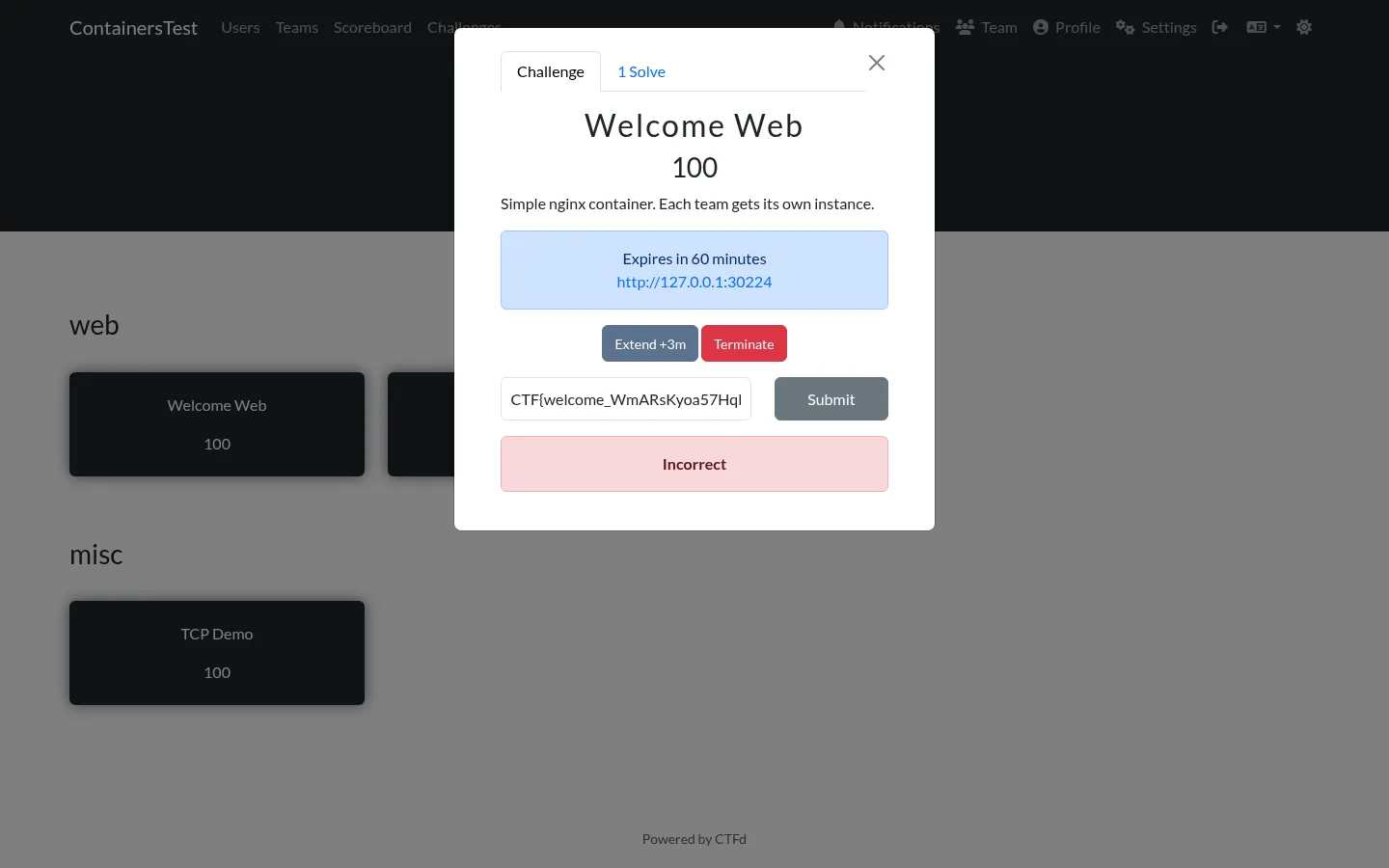
Here team-blue has its own running instance on port 30224 and submits the flag that belongs to team-red. The response is the same red Incorrect as any wrong guess, with nothing to indicate that the flag was recognised as someone else’s.
The organisers get the full picture:
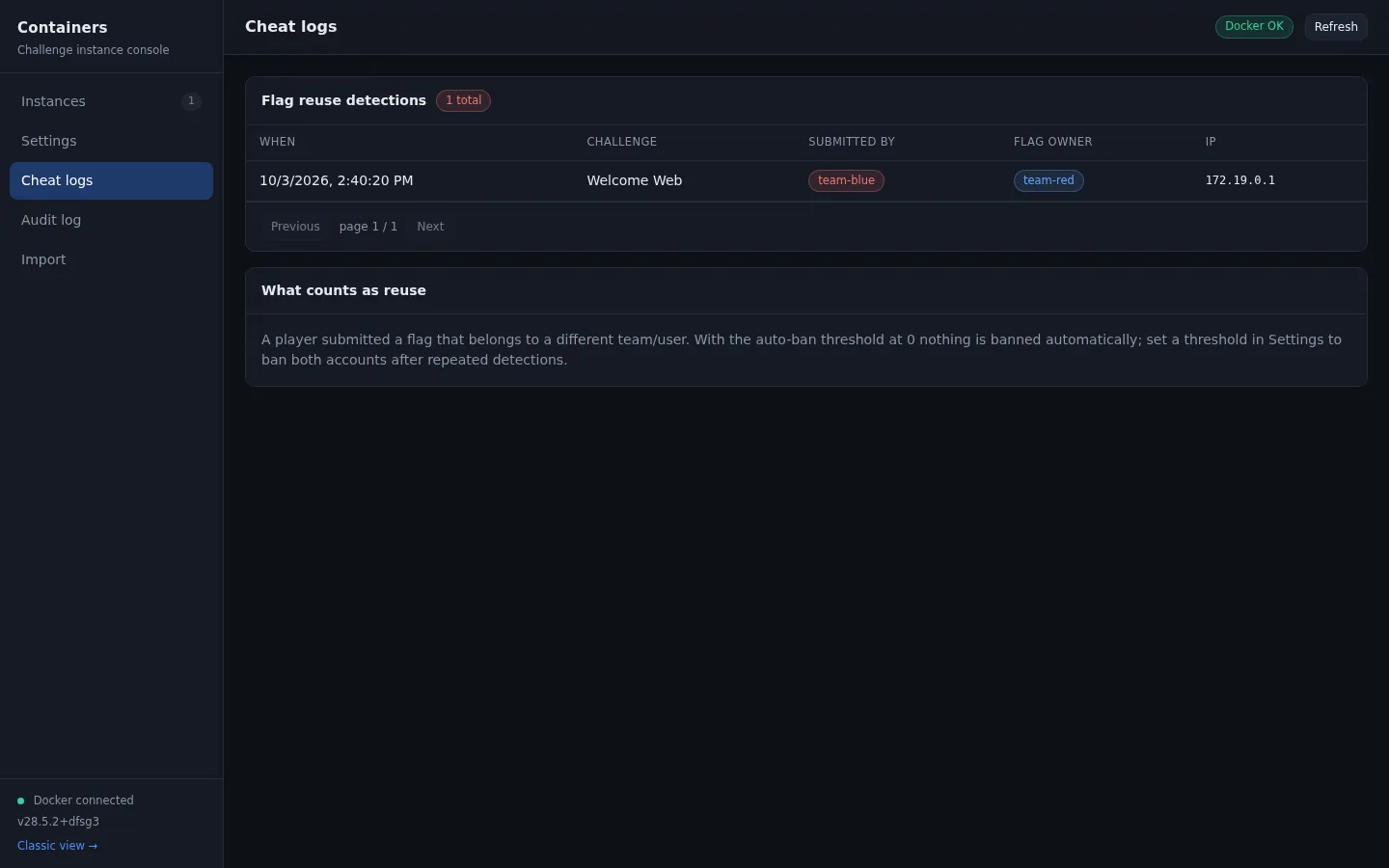
Timestamp, challenge, submitting team, flag owner, and source IP. Each detection also writes an audit entry with a severity and the action taken.
Flag sharing is common in small CTFs and it is hard to notice otherwise. If two teams sit next to each other and one of them solves a challenge, a normal CTFd install records nothing about where the second flag came from. Here, that submission shows up in a log with both team names attached.
Auto-ban is off by default
The Auto-ban threshold setting defaults to 0, so nobody is banned automatically.
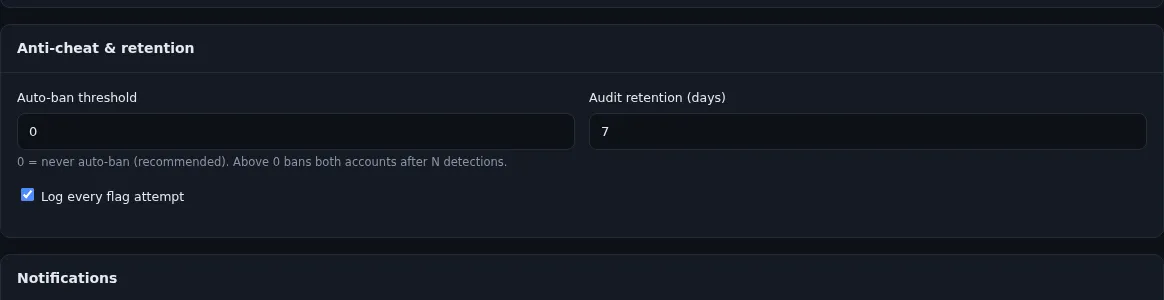
An earlier version banned both the submitting team and the flag owner on the first detection.
The trouble with that is how cheap a single submission is. Anyone holding one valid flag can send it and get its owner banned, and the owner has no way to find out why. During a live event that costs a team that did nothing wrong.
So the default is now to log and alert only. If you want automatic bans, set the threshold to 3 or more, so one submission does not trigger it. The log is usually enough on its own, and it leaves the decision with the organiser.
The admin console
Most of my time during an event is spent on one screen.
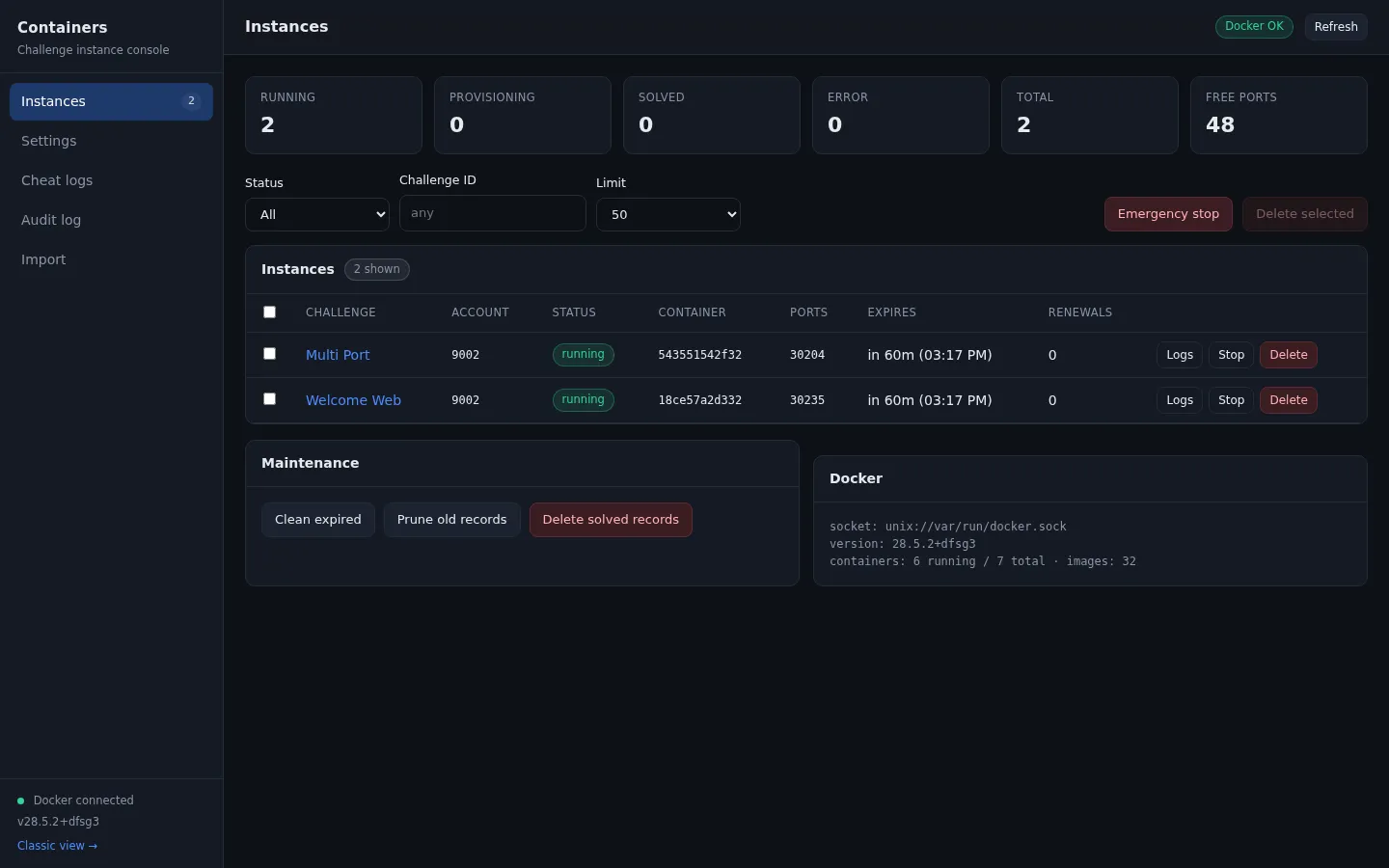
It shows counts per status, how many ports are still free, and a table of every instance with its container, port and expiry. From there I can read a challenge’s container logs, stop a single instance, or stop everything if something goes wrong.
The audit trail tab:
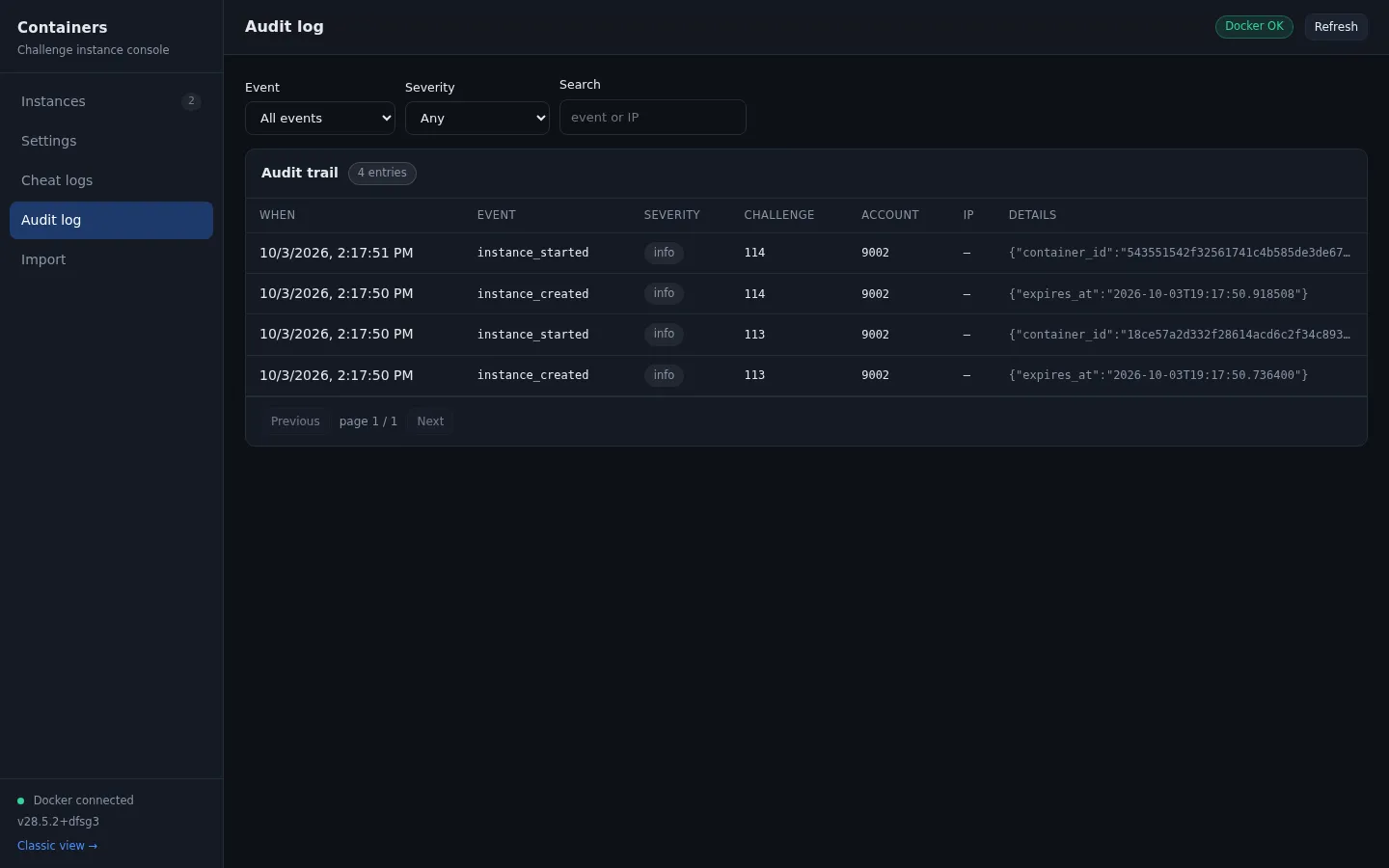
Every lifecycle event is stored with a severity and a JSON payload, so “why did that container stop” and “who removed it” both have answers. The plugin had been writing those rows from the start with no way to read them, so the tab mostly adds a table and some filters.
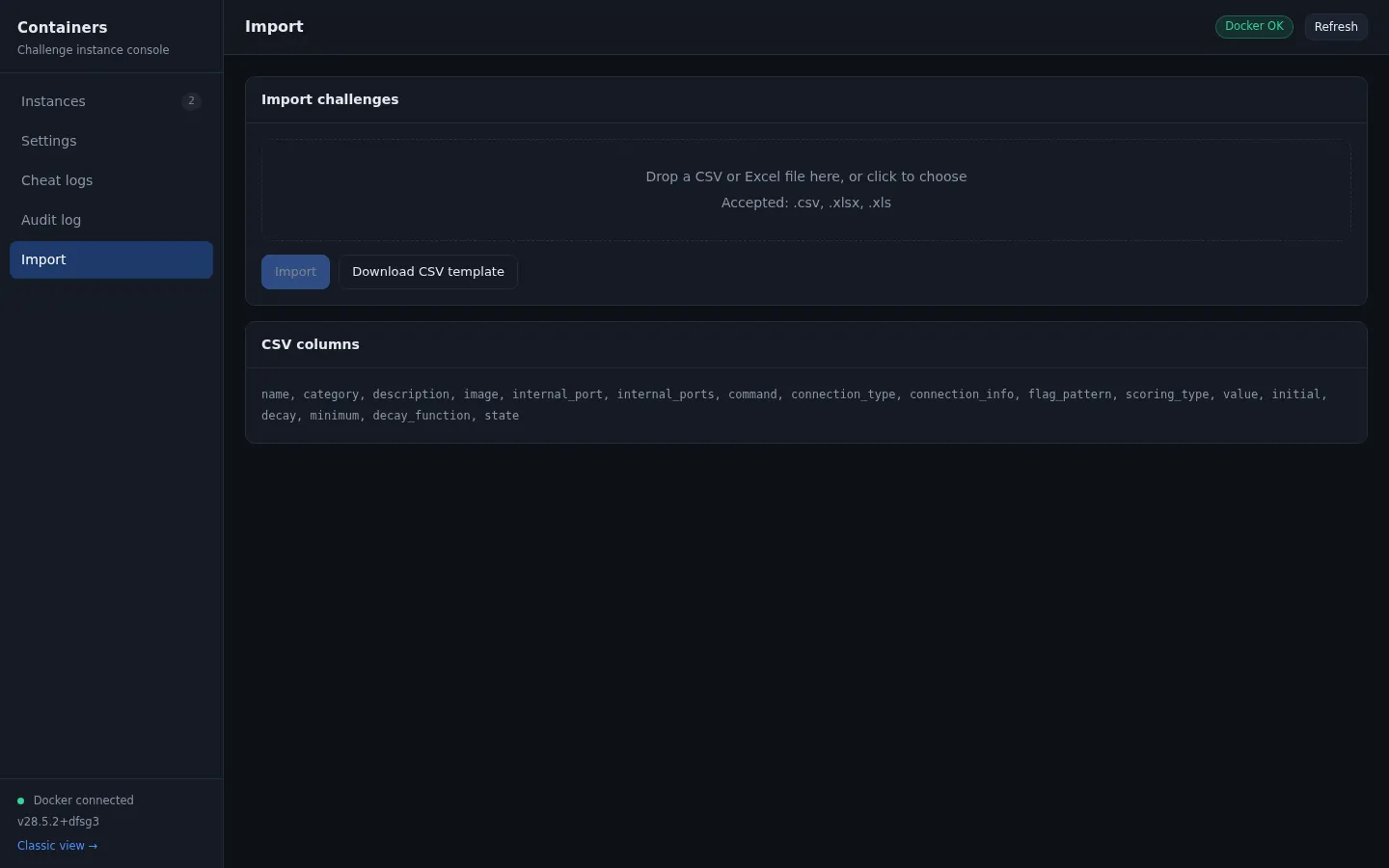
There is also a CSV import for creating a whole category at once, which helps on the day you set up 40 challenges.
Limitations
A few things to know before deploying it.
Warning (Where the isolation stops)
A container cannot reach another container directly. I tested this: no connection by IP, by container name, or on an internal port, and ARP spoofing is blocked because the container has no CAP_NET_RAW. But a published port is still reachable through the bridge gateway, and Docker’s embedded DNS lists every container name on the network. A team with code execution in their own container can reach another team’s published port if they find the number. For a static service that makes no difference. For a challenge with private mutable state, such as a database or a per-team file upload, it does.
The rest of the list:
- One Docker host. There is no scheduler across machines and no per-host port partitioning.
- Provisioning blocks the request.
Fetch Instancedoes not return until the container is running, so a slow image pull keeps the request open. With local images this is under a second. - Resource limits are global, so one heavy challenge cannot be given more memory than the rest.
- No multi-container challenges. If a challenge needs a web app plus a database, CTFd-owl or rCTF is the better fit.
- No admin bot for web challenges.
- The tests are recent, so they have not seen as many events as rCTF’s or kCTF’s.
The comparison page covers the other plugins and frameworks in more detail, including where each of them is stronger.
When to use it
For one server and a few dozen teams, this plugin covers per-team containers and flag sharing detection with very little setup.
For a larger event, or for challenges whose images you do not fully trust, rCTF or kCTF are the better fit. The extra setup buys real isolation, and that trade is worth making at that size.
The plugin is at phannhat17/CTFd-Docker-Plugin, MIT licensed, with the docs at ctfd-docker-plugin.phannhat.com. If something does not work, open an issue or send me a message.